If you’re searching for a complete GoHighLevel tutorial and wondering how to use GoHighLevel CRM step by step, you’re in the right place. This guide is designed specifically for beginners who want to understand GoHighLevel workflows explained, set up automation, and learn how to build funnels in GoHighLevel step by step without feeling overwhelmed.
What Is GoHighLevel and Why It Matters
GoHighLevel is an all-in-one platform that combines CRM, funnel builder, email marketing, SMS automation, and pipeline management into one system. Instead of juggling multiple tools, you can manage everything from one dashboard.
For agencies and businesses, this means:
- Better lead tracking
- Faster follow-ups
- Higher conversions
- Scalable automation
Step 1: Setting Up Your GoHighLevel Account
After logging in, your first step is configuring your dashboard:
- Add your business details
- Connect email and SMS services
- Set up your domain
- Integrate calendars
This foundational setup ensures your automation runs smoothly.
Step 2: Understanding the CRM
The CRM is where all your leads live. You can:
- Store contact details
- Track conversations
- Assign leads to team members
- Monitor activity
Learning how to use GoHighLevel CRM effectively allows you to stay organized and never miss an opportunity.
Step 3: GoHighLevel Pipeline Setup Guide
Pipelines help visualize your sales process. A basic pipeline includes:
- New Lead
- Contacted
- Qualified
- Proposal Sent
- Closed
You can automate movement between these stages using workflows.
Step 4: GoHighLevel Workflows Explained
Workflows are the backbone of automation. They allow you to:
- Send emails automatically
- Trigger SMS follow-ups
- Assign tasks
- Move leads across pipelines
For example:
When a lead fills a form → send email → wait 1 day → send SMS → assign sales rep.
This is how GoHighLevel automation for lead generation works in real life.
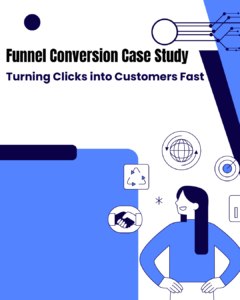
Step 5: How to Build Funnels in GoHighLevel Step by Step
Funnels convert visitors into leads. Here’s a simple funnel:
- Landing page
- Form submission
- Thank-you page
- Automated follow-up
Use drag-and-drop builder to design pages and connect them to your CRM.
Step 6: Automation Setup for Lead Generation
Now combine everything:
- Funnel captures leads
- CRM stores them
- Workflow nurtures them
- Pipeline tracks progress
This creates a fully automated system.
Step 7: Optimization and Scaling
Once your system is live:
- Test different headlines
- Improve email sequences
- Adjust workflows
- Track conversions
Optimization is key to growth.
Final Thoughts
Mastering GoHighLevel may seem complex at first, but once you understand the basics, it becomes a powerful tool for scaling your business.
👉 Want to skip the setup and start generating leads instantly? Visit datahome.solutions for ready-made snapshots, funnels, and automation systems designed to grow your business faster.